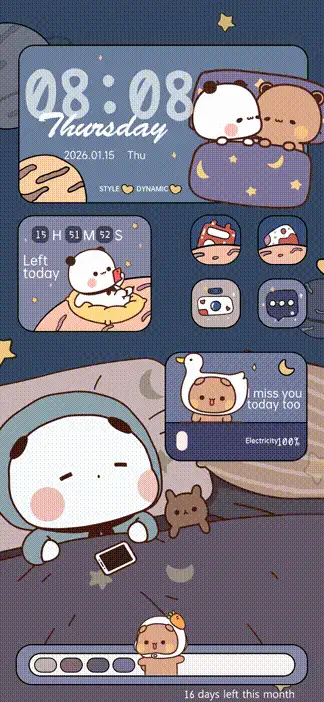
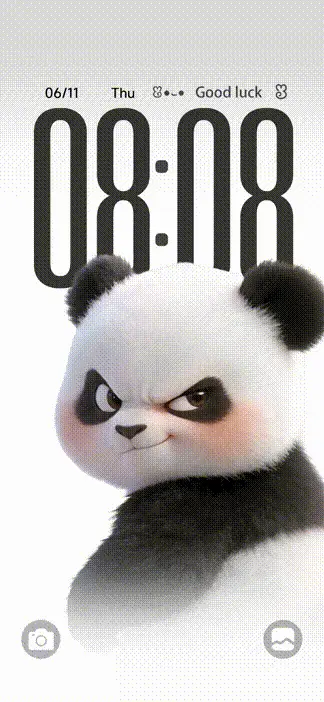
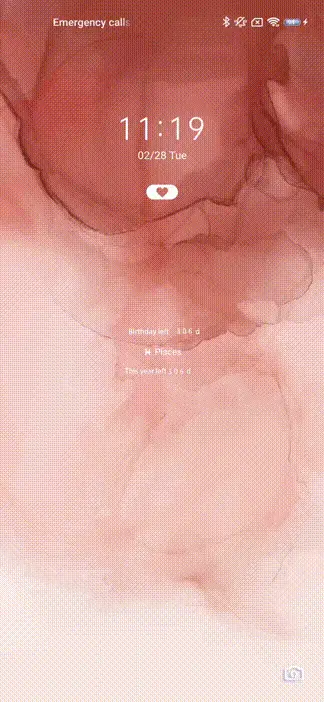
Rain Retro Pet MTZ Theme for MIUI and HyperOS
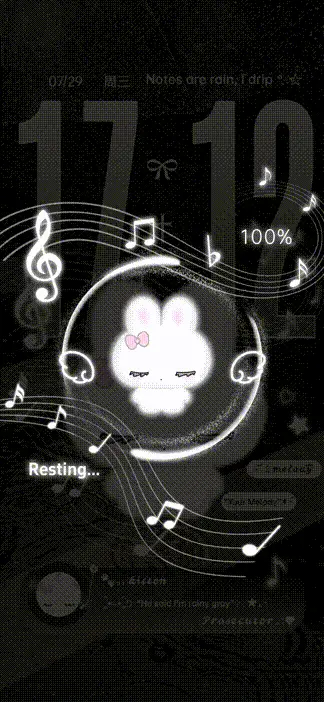
Rain Retro Pet
Description
1. Swipe up to unlock;
2. Click on the time to change the lock screen pattern;
3. Swipe right to the component page or global mode;
4. Double-click the lock screen dialog bubble to turn off the animation;
5. Support for camera and music software quick navigation;
6. Support for side swipe, battery charging progress and status bar beautification;
7. Support for charging effects, which can be turned off by clicking the screen;
How to Install Rain Retro Pet
How to Download ' Rain Retro Pet' Through Theme store
- Start by clicking on the "Download from Theme store" button.
- An open window will appear; please select the Theme store.
- If you don't see the theme store app, you can try opening it through the different browser.
- Watch a tutorial on how to open the themes link in case it's not opening.
- After successfully opening the theme store, click on the download button.
- Wait for the download to finish.
- Apply the downloaded Rain Retro Pet theme and enjoy.
How to Install & Apply 'Rain Retro Pet' MTZ Theme permanently (HyperOS global)
-
Download MTZ Installer Pro APK from here:
Download APK - Open Google Play Store → Profile → Play Protect → Turn it OFF (required for accessibility permission).
- Enable Install from Unknown Sources for your browser or file manager.
- Install the downloaded APK and open MTZ Installer Pro.
- Download your desired .mtz theme file.
- Tap on Select MTZ File and choose the theme file.
- Click Install / Apply.
- Open Themes App → Go to My Themes → Apply the theme.
- For permanent apply: Open Recent Apps → Long press app → App Info (Gear Icon).
- Enable "Allow Restricted Settings".
- Go to Accessibility → Downloaded Apps → Enable Hyper Theme Service.
- Return to app → Tap Ignore Battery Optimization → Select No Restrictions.
- Open Recent Apps and Pin MTZ Installer Pro.
- Note: Theme will remain applied permanently unless the app is closed or killed.
How to Apply ' Rain Retro Pet' MTZ File Using MTZ Tester
- Download MTZ Tester from the Google Play Store and open the app.
- Inside MTZ Tester, tap on "Choose MTZ."
- When prompted, browse to the directory where your Rain Retro Pet MTZ file is located.
- Select the Rain Retro Pet MTZ file from your storage.
- Tap the "Apply" button to set the chosen Rain Retro Pet MTZ theme.
- If you are a Global Theme Store user, you might be asked to select the MTZ file again.
How to Permanently Apply ' Rain Retro Pet' MTZ File in HyperOS custom Rom
- Download the Rain Retro Pet theme from our website. In case you encounter issues with MTZ file downloads, we recommend watching our tutorial for assistance.
- Open the Themes app on your HyperOS custom ROM and select "My Account."
- In the "My Account" section, you will find a list of all the themes you've downloaded.
- Scroll down to the bottom of the list, where you will find an "Import" button. Click on it.
- Select the downloaded Rain Retro Pet MTZ theme, and then apply it to customize your device's appearance permanently.
How to Install ' Rain Retro Pet' on HyperOS using Theme Editor (Temporary)
- Download the Rain Retro Pet MTZ theme file from the provided link above.
- Download "HyperOS Theme Editor" from the Google Play Store.
- Open the "HyperOS Theme Editor" app on your device.
- Select the "Browse" option and locate the Rain Retro Pet MTZ file you downloaded earlier.
- Select the "Start" option to begin the theme installation process.
- Next, select the "Next" option to proceed with the installation.
- Now, select the "Finish" option to complete the installation process.
- A message will appear, prompting you to install the theme. Select the "Install" option to confirm.
- The Rain Retro Pet theme has been successfully installed. Go to the Theme Store, and you will see the third-party theme you installed. Click on it and select "Apply."
How to Apply ' Rain Retro Pet' Using Theme Swap
Note: Your theme will be applied but it will not show as applied in your theme center
- Go to the Play Store and install "Theme Swap."
- Open Theme Swap and click on the "+" plus button at the bottom of the app interface.
- Select the .mtz file of the Rain Retro Pet theme you want to install. Click on the Hamburger Menu at the top left corner for the File Manager.
- Tap "OK" and wait for the file to be unpacked.
- Click on the Rain Retro Pet theme name and select "Theme Pack" and then "Apply."
- A prompt will appear: "Theme Packed. Apply Now." Click "Yes" to apply the theme.
- And there you go! Your Rain Retro Pet third-party theme has been successfully installed.